
Adding/Editing your search page will allow you to Customize the criteria displayed to your liking.
Once you have entered in the desired criteria:
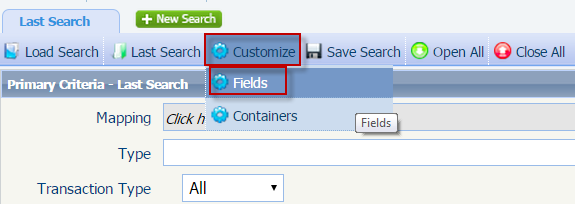
Step 1: Click Customize in the tool bar and select Fields.
Step 2: The fields window will appear and display all available fields you may select.
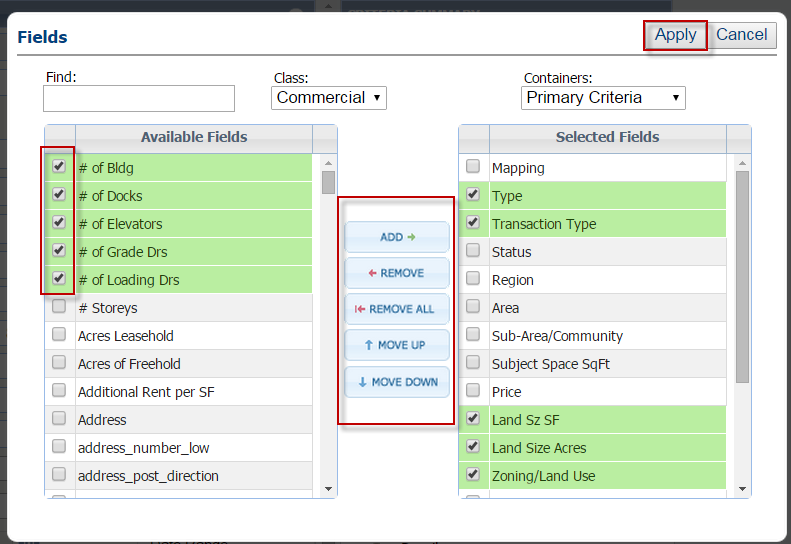
Step 3: Select the fields you would like to have displayed, and click ADD.
Step 4: You may also select fields within 'Selected Fields' and remove them, by clicking 'REMOVE'
Step 5: Once the desired fields have been moved to Selected Fields, Click Apply.
Note: You may also organize the order of the fields by using the 'up' and 'down' buttons located at the center.
Please click on the attachment below to open:
Comments
0 comments
Article is closed for comments.